Low_Latency_Layer Brings Advanced Gaming Latency Reduction to Linux
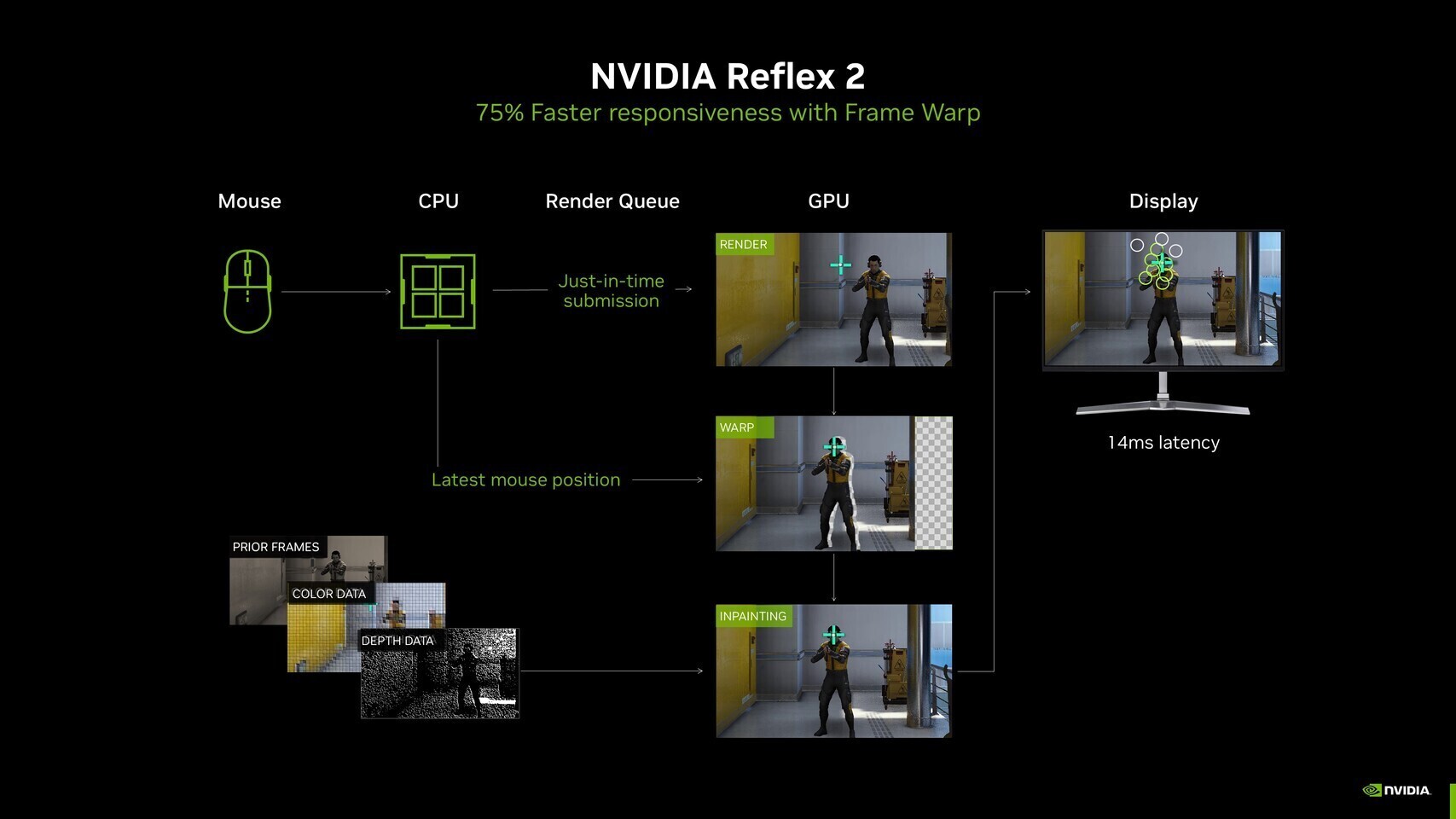
A new open-source project, low_latency_layer, is making waves in the Linux gaming community by enabling advanced low-latency gaming technologies across NVIDIA, AMD, and Intel graphics cards. Developed by Korthos Software, this Vulkan layer for Linux-based operating systems brings support for NVIDIA Reflex 2 and AMD Anti-Lag 2, regardless of the underlying GPU hardware.
Universal Low-Latency Gaming on Linux
Traditionally, low-latency gaming features like NVIDIA Reflex and AMD Anti-Lag have been tied to specific hardware and official driver support. The low_latency_layer project changes this by implementing these latency optimization technologies in a hardware-agnostic way. This means Linux gamers can now benefit from reduced input lag, even if their graphics card or drivers do not natively support these features.
The layer acts as a workaround for the lack of official driver enablement, allowing users to activate NVIDIA Reflex in scenarios where AMD Anti-Lag 2 is unavailable, and vice versa. This flexibility is particularly valuable for gamers who want to optimize their experience without being limited by their choice of GPU.
Performance Testing and Real-World Results
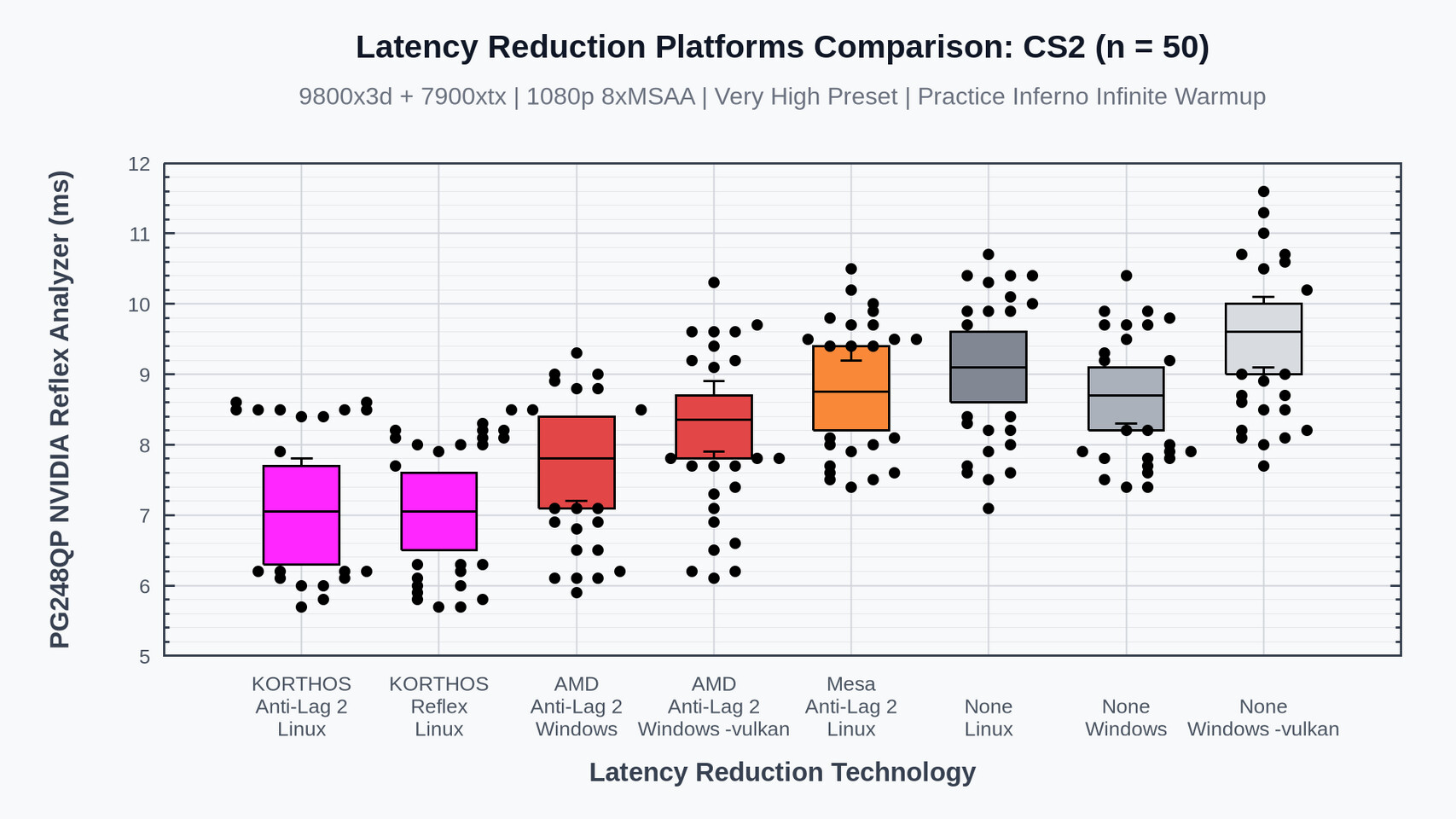
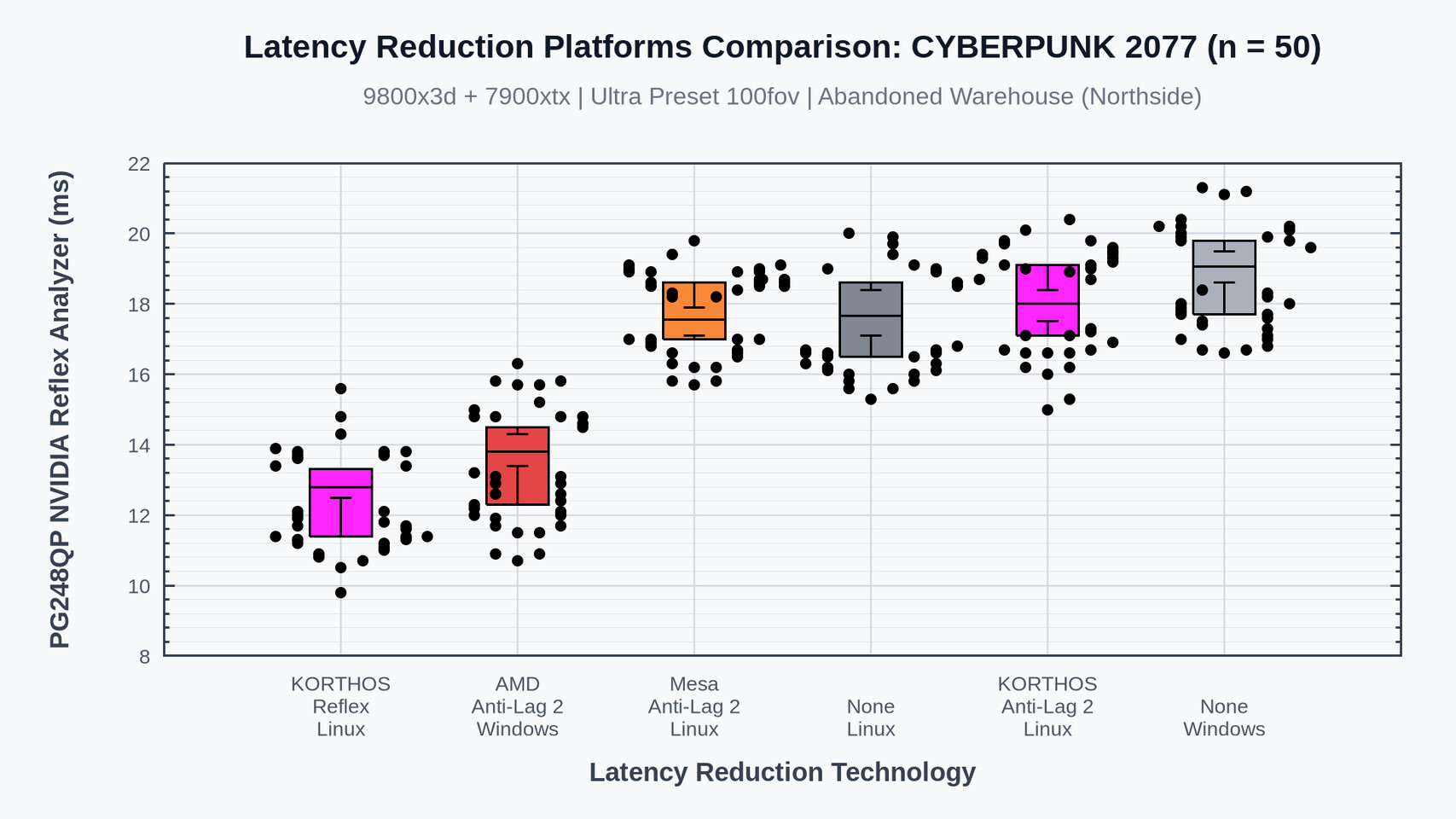
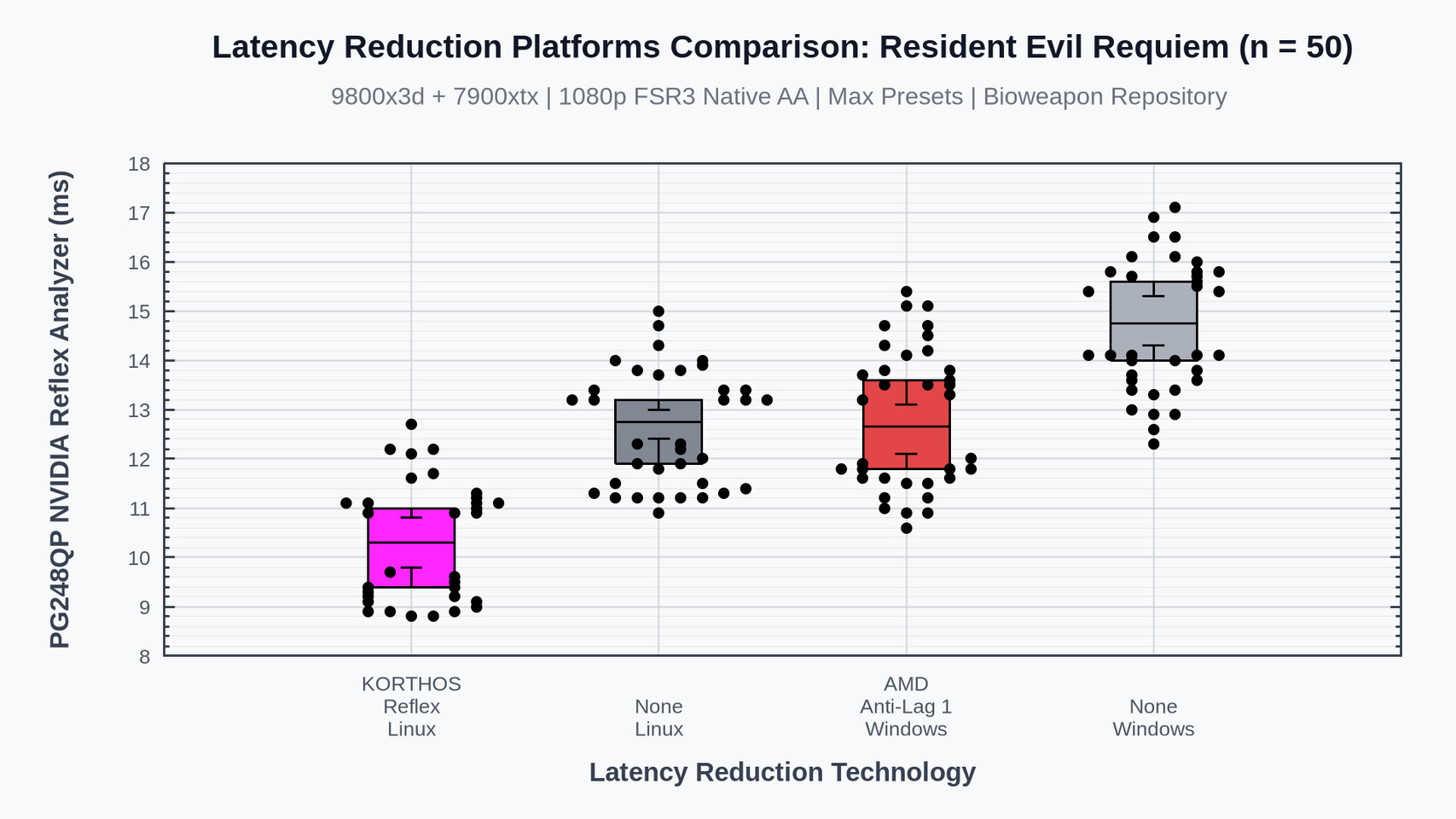
Korthos Software conducted extensive testing using an AMD Radeon RX 7900 XTX, AMD Ryzen 7 9800X3D, and 64 GB of RAM. Popular titles such as THE FINALS, Counter-Strike 2, Cyberpunk 2077, Resident Evil Requiem, Marvel Rivals, and Overwatch 2 were evaluated to measure the impact of the new layer.
The results showed that, depending on the game's support for these technologies, latency reductions were comparable to those achieved on native Windows systems. For competitive gamers, especially in eSports titles like Counter-Strike 2, even a few milliseconds of reduced latency can make a significant difference. Notably, Counter-Strike 2 running on Linux with Anti-Lag 2 demonstrated lower latency than its Windows counterpart, likely due to reduced background processing on Linux.
Installation and Configuration
Setting up the low_latency_layer requires some technical expertise. Users need to configure several variables and settings to ensure optimal performance. The official documentation provides clear instructions, and additional guidance is available through community forums and AI chatbots, though users should exercise caution when following automated advice.
For games running through Proton (Valve’s compatibility layer for Windows games on Linux), enabling NVAPI support is necessary for the low_latency_layer to function correctly. This involves setting specific environment variables, all of which are detailed on the project's GitHub repository.
Conclusion
The introduction of low_latency_layer marks a significant advancement for Linux gaming, offering access to cutting-edge latency reduction technologies previously limited to Windows or specific hardware. With continued development and community support, this project has the potential to further close the gap between Linux and Windows gaming performance, especially for competitive and latency-sensitive titles.